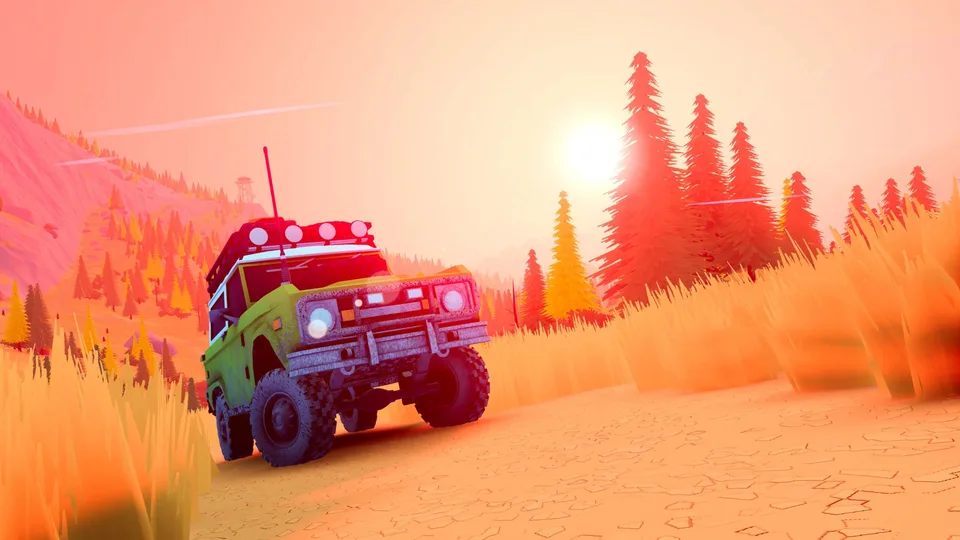
Over the Hill Vehicle Customization: Finding Upgrades and Exploring Off-Roading
Discover how vehicle customization works in Funselektor's off-roading game Over the Hill, where to find custom parts, and tips for terrain navigation.
Published: over the hill Wiki Editorial Team
Table of Contents
Navigating the Wilderness and Finding Customization Elements
When diving into Over the Hill, developed by Funselektor Labs Inc., players quickly realize that this stylized off-roading experience prioritizes deliberate pacing and tactical driving over breakneck speeds. Unlike arcade racers where you simply slam down the throttle, mastering this wilderness requires careful route planning, low-gear management, and a keen eye for exploration.
Trails throughout the game world serve as your primary arteries, guiding drivers toward points of interest (POIs). According to community reports and hands-on previews, these exploratory paths lead directly to valuable customization items and in-game currency. Rather than hiding upgrades behind complex menus right away, the game encourages you to physically drive out, explore backcountry routes, and investigate remote locations to enhance your vehicle.
Follow Established Trails: Begin your journey by tracking mapped paths to locate nearby cabins, which double as reliable save points and checkpoints.
Hunt for POIs: Look out for distinct points of interest along minor tracks where customization parts and currency are hidden.
Venture Off-Path: Once you are comfortable with your vehicle's baseline capabilities, leave the main tracks to comb through bogs, rocky ascents, and dense forests for secret finds.
Utilize Toolboxes: Check your vehicle's onboard toolbox when stranded; items like portable winching points can pull your truck out of difficult spots without requiring a full reset.
Understanding Vehicle Performance and Entry-Level Limitations
Your initial vehicle in Over the Hill is an entry-level machine with restricted capabilities. Attempting to blast through deep water or scale vertical rock faces right away will usually result in a drowned engine or a flipped truck. Learning how your vehicle interacts with different surface types is half the battle.
Community feedback highlights the importance of managing gear ranges. Dropping your truck into low gear significantly reduces your top speed, but it provides the torque needed to crawl over jagged rocks and push through sticky muck. While it makes traveling safer areas take longer, it prevents high-speed bounces and accidental rollovers.
Tip
Embrace Slow Driving: Resist the urge to rush. Running in low gear keeps your off-roader stable, reduces sudden wipeouts against roadside hazards, and aligns with the meditative pace intended by the developers.
Warning
Watch Your Engine: Entering deep water or getting hopelessly stuck in a bog can flood and drown your engine. Always secure a checkpoint or unlock nearby cabins before tackling high-risk challenge trails to avoid losing substantial progress.
Exploring Multiplayer and Cooperative Recovery
Beyond solo exploration, Over the Hill supports multiplayer sessions for up to four drivers simultaneously. Setting up a lobby and connecting with friends is straightforward, maintaining the exact same vibe and world design as the single-player experience.
Having other players around transforms how you tackle difficult terrain. If you misjudge a rocky ledge or find your vehicle abandoned in a muddy swamp, cooperative play allows nearby drivers to toss you a line and haul you out of trouble, turning potentially frustrating failures into shared cooperative moments.
Official Links and Further Reading
To stay updated on release windows, developer updates, and official announcements from Funselektor Labs Inc., check out the official Over the Hill Steam Page. For deep dives into driving mechanics and hands-on impressions, you can read the original coverage on PC Gamer.