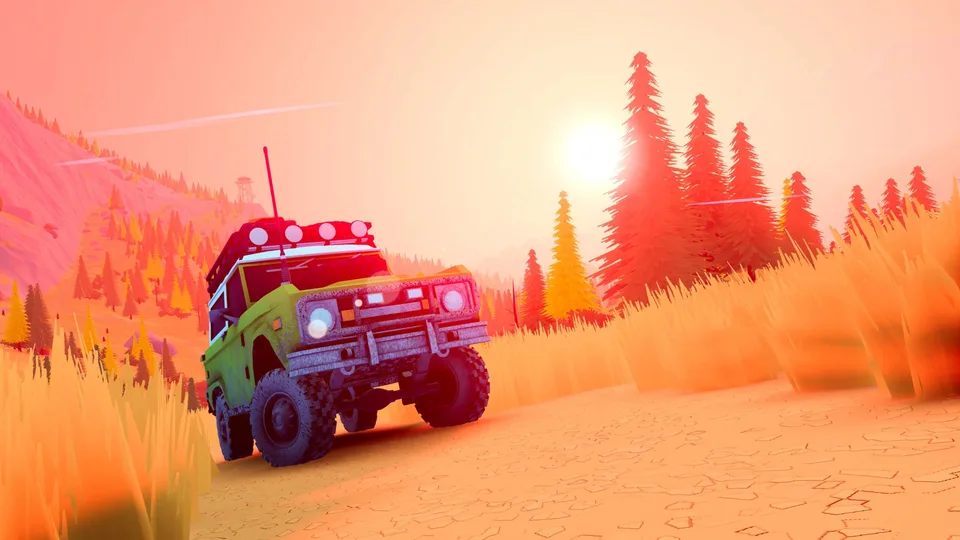
Over the Hill Crossplay Support and Multiplayer Details on Steam
Discover everything about Over the Hill crossplay capabilities, online co-op features, and multiplayer trail driving on Steam. Get the latest gameplay insights today.
Published: over the hill Wiki Editorial Team
Table of Contents
Understanding Over the Hill Multiplayer and Platform Support
When diving into an open-world driving adventure with friends, knowing how you can connect is essential. Players searching for "over the hill crossplay" want to know if they can team up across different hardware platforms or if multiplayer is restricted to specific storefronts. Based on the official Steam data provided by developer Funselektor Labs Inc., the game centers heavily on cooperative exploration, but understanding its networking limitations ensures you can coordinate your off-road sessions properly.
The title emphasizes a chill, atmospheric approach to exploring valleys, mountains, and remote wilderness areas. Whether you are navigating tricky terrain solo or coordinating recovery strategies with a convoy, knowing how the multiplayer systems operate will shape your expectations for the journey.
Check your Steam library page for the official Over the Hill Steam Store Page to verify system requirements and online tags.
Ensure your internet connection meets the broadband requirement for smooth online co-op sessions.
Invite up to three friends through Steam to form a 4-player off-road convoy.
How Online Co-Op Works in Over the Hill
The core multiplayer experience in Over the Hill is designed for cooperative traversal rather than head-to-head racing. You can take to the trails solo or join forces with up to three other players in online co-op. This setup transforms difficult expeditions into team efforts where communication and equipment sharing matter.
Different situations across the game's varied biomes call for varied solutions. When your convoy encounters deep gaps or treacherous mud pits, teamwork becomes your greatest asset.
Cooperative Equipment Usage
Players can deploy winches to pull stuck vehicles out of difficult terrain, lay down planks to bridge gaps, and combine specialized gear to conquer remote mountain paths together.
Shared Wilderness Exploration
Grouping up allows you to uncover hidden cabins, scenic viewpoints, fallen meteorites, and mysterious portals much faster while documenting native wildlife in your shared compendiums.
Exploring Crossplay Availability
A common question among modern cooperative gamers is whether crossplay is supported between PC storefronts and console systems. For Over the Hill, the current documentation and platform identity markers emphasize its Steam release.
Because official sources have not explicitly detailed crossplay functionality with consoles or alternative PC clients, players should assume multiplayer is contained within the Steam ecosystem unless future developer announcements state otherwise. Keeping expectations grounded in confirmed platform data prevents setup frustrations when trying to sync with friends on launch day.
Warning
Do not assume crossplay is enabled by default with non-Steam platforms. Always verify current lobby options and friend invitation systems directly inside the Steam client before purchasing copies across mixed hardware setups.
Essential Tips for Cooperative Off-Roading
Succeeding in Funselektor Labs Inc.'s latest title requires a shift in mindset compared to traditional arcade racing games. Because the experience focuses on mindful driving, pacing yourself and your team is vital for a successful expedition.
Tip
Pace the Convoy: Don't rush through rough terrain; maintain a steady speed so trailing vehicles can rely on your winch points if they slip.
Distribute Gear: Assign specific equipment roles among your four-player team so everyone carries useful tools like extra planks or recovery gear.
Utilize the Camera: Take breaks from challenging routes to photograph rare wildlife and scenic sunsets to fill out your in-game compendium.
System Requirements for Multiplayer Sessions
Running an open-world simulation with dynamic weather, day-and-night cycles, and multiple players requires a capable rig. Before hosting or joining an online session, check your hardware against the developer's official specifications.
64-bit processor and operating system (Windows 10)
Intel Core i5-7400 or AMD Ryzen 5 2600 processor
8 GB of RAM
Nvidia GTX 1070 or AMD Radeon RX 5600 graphics card
DirectX Version 11 compatibility
Broadband internet connection for online co-op
4 GB of available storage space
Frequently Asked Questions
Can I play Over the Hill entirely single-player?
Yes, the game fully supports a single-player mode where you can explore the wilderness, document wildlife, and customize your 64s-to-80s off-road vehicles entirely at your own pace.
Is Over the Hill a competitive racing game?
No, the developers explicitly designed it as a driving adventure rather than a racer. The emphasis is on relaxation, mindful route planning, and cooperative problem-solving.
How many players can join a single online co-op session?
You can explore the trails solo or team up with up to three additional friends, making for a maximum group size of four players per session.