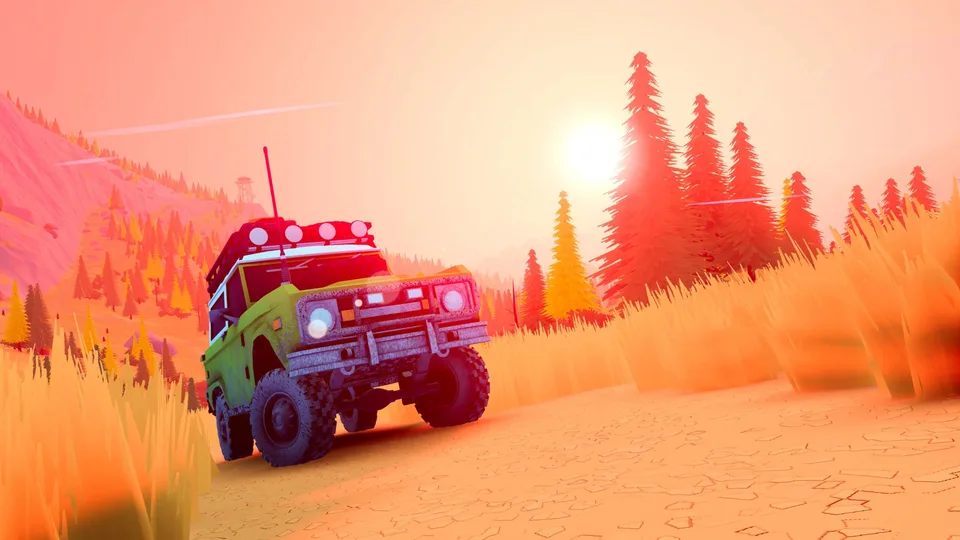
Over the Hill Max Graphics Requirements: PC Specs & Hardware Guide
Discover the system requirements for running Over the Hill at max graphics. Check CPU, GPU, and RAM specs to ensure your PC is ready for off-roading.
Published: over the hill Wiki Editorial Team
Table of Contents
Hitting the Trail: Understanding Over the Hill PC Performance
When preparing to dive into the off-road vehicle simulation of Over the Hill, developed by Funselektor Labs Inc. and co-produced by Strelka Games, optimizing your rig is essential for a smooth drive. Built on the Unity engine, the game targets a stylized visual aesthetic while handling real-time, bird's-eye view physics.
Before pushing your settings to the absolute limit, it helps to understand what hardware baseline the developers have established. While high-end enthusiasts often look for maximum fidelity presets, reviewing the official baseline specifications provides a clear starting point for evaluating your hardware capabilities.
Operating System: 64-bit Windows 10 is mandatory for running the title.
System Memory: At least 8 GB of RAM to maintain stable performance during multiplayer or singleplayer sessions.
Storage Drive: 2 GB of free space, preferably on an SSD to ensure quick asset loading times.
Breaking Down the Hardware Specifications
To run Over the Hill effectively, your system needs to meet specific hardware thresholds. While the PCGamingWiki documentation outlines the baseline requirements geared toward a 1080p target, pushing settings or utilizing upscale technologies requires careful consideration of your graphics card and processor combination.
Processor (CPU) Requirements
The game requires either an Intel Core i5-7400 or an AMD Ryzen 5 2600. These mid-range processors handle the real-time physics calculations and world generation required for off-road driving mechanics.
Graphics Card (GPU) Requirements
On the video card front, players need an Nvidia GeForce GTX 1070 or an AMD Radeon RX Vega 56 equipped with 8 GB of VRAM and DirectX 11 compatibility. This ensures that the stylized art style and environmental effects render smoothly.
Visual Settings and Performance Scalability
Even when targeting peak visual fidelity, modern PC titles incorporate various graphical features to help balance performance and appearance. According to community data and technical tracking, Over the Hill supports ultra-widescreen displays at a 21:9 aspect ratio, giving drivers a broader view of rough terrains.
Furthermore, players looking to enhance their framerates or push visual settings higher can take advantage of integrated high-fidelity upscaling technologies, including DLSS and FSR. Frame rate caps ranging from 30 FPS all the way up to 240 FPS are also available, allowing you to tailor the smoothness of your driving experience to your monitor's refresh rate.
Tip
If you are experiencing stuttering while navigating complex off-road environments, enable optional frame caps or utilize upscaling features to stabilize your performance without drastically sacrificing image quality.
Audio Customization and Control Setup
Achieving an immersive driving experience goes beyond mere graphics. Over the Hill features dedicated volume sliders for engine sound effects, general sound effects, interface elements, music, and ambient noise. This granular control allows you to prioritize the roar of your automobile's engine over background tracks.
Input flexibility is another critical component for vehicle simulators. The title offers robust controller support, including full compatibility with XInput devices and native integration for PlayStation controllers such as the DualShock 4, DualSense, and DualSense Edge. Whether you prefer a keyboard and mouse layout or a haptic-enabled gamepad, configuring your controls properly ensures precise handling across difficult terrain.
Frequently Asked Questions
What operating system is required to play Over the Hill?
A 64-bit version of Windows 10 is required to run the game successfully.
Does Over the Hill support ultra-widescreen monitors?
Yes, community documentation confirms support for 21:9 ultra-widescreen gameplay.
Are microtransactions included in the game?
No, the title follows a one-time game purchase model with no microtransactions included.
Where can I check official updates and community discussions?
You can visit the official Steam Store Page for the latest release updates and community hubs.