Over the Hill Emerald Lake Map Guide: Exploration, Wildlife, and Trails
Discover everything you need to know about navigating the Emerald Lake map in the Over the Hill demo, from vehicle upgrades to challenge trails.
Published: over the hill Wiki Editorial Team
Table of Contents
Navigating the Emerald Lake Map in Over the Hill
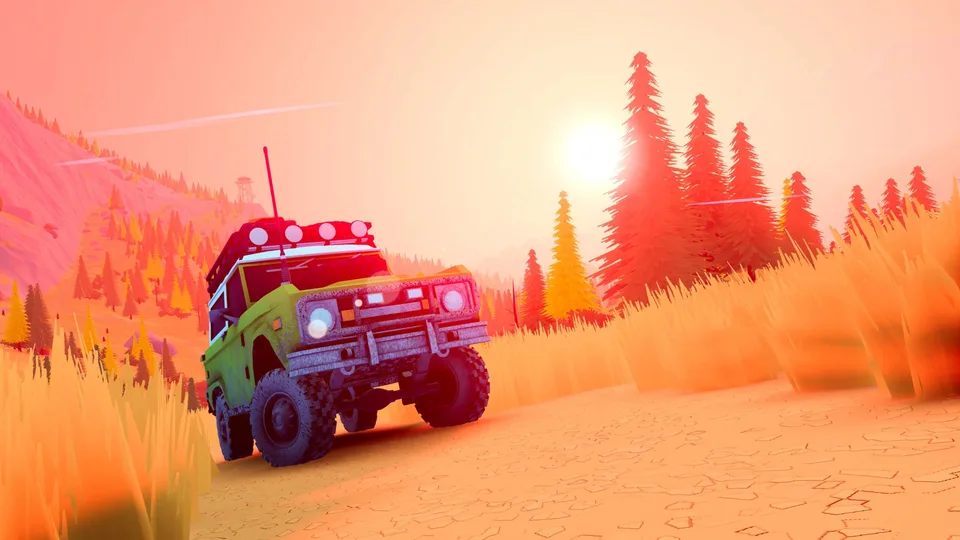
When diving into the Over the Hill Steam Demo, players begin their off-road journey exploring the initial area known as Emerald Lake. Developed by Funselektor Labs Inc., this atmospheric driving experience focuses heavily on meditative route planning rather than high-speed racing. The primary map functions as an open sandbox filled with designated trails, challenge routes, points of interest, and wildlife waiting to be discovered either in solo play or with friends.
Understanding how to read the terrain and utilize your vehicle's recovery tools is essential for making steady progress across the map. The landscape features dense mud patches, technical river crossings, and steep inclines that will easily trap an unprepared driver. Community reports and gameplay observations show that mastering the transition between high and low transmission ranges, along with strategic winch placement, dictates whether you successfully complete a trail or get permanently stuck.
Open the Map: Press the map hotkey (M) to inspect the surrounding region, pinpoint cabins, and set route markers toward points of interest.
Manage Transmission Ranges: Toggle between high range for speed on regular terrain and low range (Tab) to gain vital traction on steep slopes and muddy paths.
Deploy the Winch: If your vehicle gets stuck, look for nearby anchor points like trees. Use the automatic winch or switch to the manual winch (Q) to select a specific anchor closest to the center of your camera.
Utilize Cabins for Fast Travel: Reach designated cabins (such as the Pete Land Lodge) to act as rest points, clear surrounding map fog, and unlock fast-travel respawn points.
Essential Exploration Tools and Vehicle Upgrades
As you traverse the Emerald Lake region, you will encounter various points of interest including abandoned crates and merchants. Interacting with merchants allows you to spend earned resources on vital vehicle enhancements. The starter vehicle, known as the Protector, can be customized with mechanical upgrades designed to handle the harsh wilderness environments.
Community insights suggest prioritizing upgrades that directly impact vehicle capability in rough terrain. Selecting grippy tires significantly reduces slip during muddy climbs, while water-resistance upgrades prevent engine flooding during deep river crossings. Additionally, utility items like repair kits and portable winches provide a safety net when exploring remote corners of the map far from the nearest cabin.
Vehicle Options and Equipment
The Protector: A legendary 4x4 built for the harshest terrains, serving as your primary vehicle in the demo.
Performance Upgrades: Enhance suspension height, engine power, water resistance, and tire grip at roadside merchants.
Utility Tools: Equip camp tools to manipulate time and weather, meteorite radars to track hidden objects, or wooden planks to cross difficult gaps.
Mastering Challenge Trails and Wildlife Encounters
Beyond standard exploration, the Emerald Lake map features specialized challenge trails designed to test your precision driving skills. Completing these trials—such as the Clear Water Lake croc crawl—rewards players with unique cosmetic items like kayaks or specialized antennas. However, these routes demand careful throttle control to avoid overheating your engine or flipping your vehicle on jagged rock formations.
Wildlife observation adds an immersive layer to the journey. Players exploring quiet forest paths may occasionally startle local wildlife, which will react to the presence of your vehicle. Utilizing the built-in photo mode allows you to capture scenic vistas, mountain ridgelines at dusk, and quiet moments by the water without interrupting the meditative pacing of the drive.
Warning
Pushing your vehicle too hard on steep, rocky inclines causes the engine indicator to strain and turn red. Always engage low range before attempting technical climbs to prevent mechanical damage and loss of traction.
Frequently Asked Questions
Can I play the Over the Hill demo with friends?
Yes, community play sessions confirm that the game supports multiplayer exploration, allowing you and your friends to traverse Emerald Lake together, help each other out of difficult spots, and set up campsites.
What happens to map data when the full game releases?
According to official database updates from community resource sites like the Over the Hill Database, community catalogs are temporarily paused during the demo phase and will return with official data and expanded artwork when the full game launches.
How do I recover my vehicle if it flips upside down?
If your vehicle ends up inverted, you can utilize specific equipment like a jack purchased from a merchant to flip your car back into an upright position nearby.