Over the Hill PC Performance Guide: Requirements & Settings
Discover PC performance insights, system requirements, and optimization tips for over the hill, developed by Funselektor Labs Inc.
Published: over the hill Wiki Editorial Team
Table of Contents
H2: Understanding Over the Hill PC Performance and System Requirements
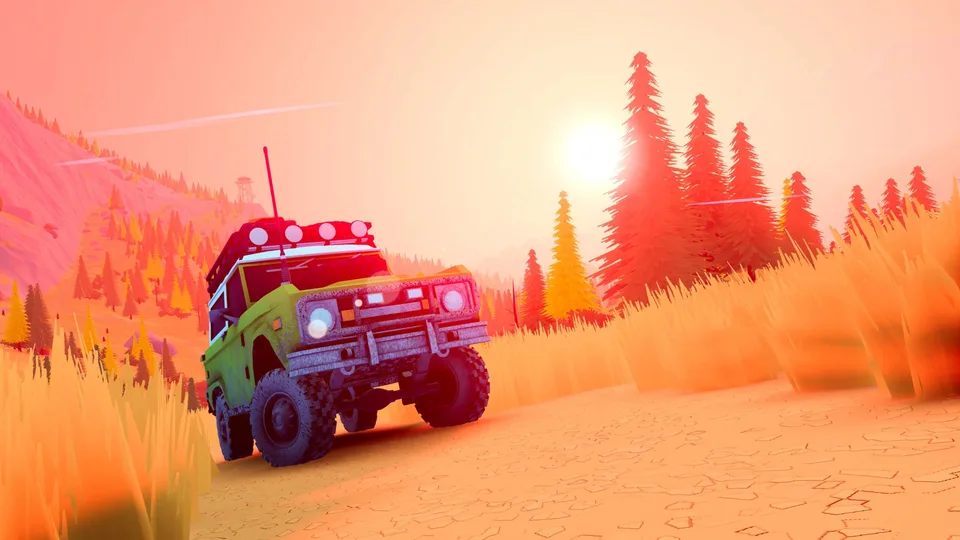
Optimizing your setup for a fresh off-road driving adventure requires looking closely at official hardware baselines and real-world execution. Developed by Funselektor Labs Inc., over the hill shifts the focus away from traditional circuit racing toward mindful exploration, atmospheric biomes, and collaborative multiplayer trail-blazing. Ensuring steady frame rates and stable graphics depends heavily on meeting baseline hardware parameters before tackling rugged terrain with friends.
According to the official Steam store page for over the hill, the title targets modern mid-range PC hardware for its baseline performance. Because dynamic weather, day-and-night cycles, and open-world biomes transform the rendering environment continuously, understanding your hardware limitations helps prevent stuttering during intensive multiplayer sessions or deep-woods winch recoveries.
H2: Official System Specifications and Hardware Baselines
Running over the hill smoothly on Windows requires specific processor, memory, and GPU configurations. The developers have outlined precise minimum requirements tested specifically at FullHD resolution.
OS: Windows 10 (64-bit)
Processor: Intel Core i5-7400 or AMD Ryzen 5 2600
Memory: 8 GB RAM
Graphics: Nvidia GTX 1070 or AMD Radeon RX 5600
DirectX: Version 11
Storage: 4 GB available space (Broadband internet connection required)
These parameters ensure that standard trail driving, environment rendering, and physics calculations run without crippling frame drops. Because the game emphasizes expansive landscapes rather than twitch-based competitive reactions, maintaining a stable 60 FPS or higher provides the ideal fluid experience when navigating tricky slopes or coordinating vehicle recoveries with up to three other players.
H2: Community Insights on Handheld and Custom PC Performance
Beyond standard desktop towers, players frequently test modern portable hardware and alternative setups. According to community reports and hands-on session observations, the game adapts well to varied form factors when graphics presets are adjusted.
Tip
Handheld Optimization Tip: When running the game on modern handheld gaming PCs or lower-tier configurations, enabling temporal upscaling features like FSR on balanced settings helps maintain a steady frame rate at full HD resolution without sacrificing core visual clarity.
Players evaluating various rigs have noted that medium-to-high details run smoothly on current-generation portable devices, provided the visual sliders match thermal and battery constraints. However, because the title features dense foliage, water physics, and wide open horizons, users should monitor GPU utilization during heavy rainstorms or dense weather shifts.
H2: Key Graphical Settings to Adjust for Maximum Stability
Fine-tuning your visual configuration can drastically improve performance during complex physics calculations, such as multiple winches attached to a single bogged-down vehicle.
Lower Shadow Quality: Shadows cast by trees, rocks, and vehicles across vast biomes heavily impact GPU load. Dropping shadow resolution from ultra to medium yields significant frame rate recovery.
Adjust Texture Filtering: Ensure texture settings match your available VRAM capacity (8 GB minimum system memory is required, but GPU VRAM dictates high-resolution asset streaming).
Manage Resolution Scaling: If running at resolutions higher than 1080p—such as 1440p—utilize built-in scaling options to keep performance locked above 60 FPS during intensive cooperative sessions.
Cap Background Framerates: If you frequently pull up the in-game map or coordinate waypoint routing with your convoy, limiting idle frame rates prevents unnecessary hardware heat spikes.
H2: Troubleshooting Common Performance Stutters
Even on compliant hardware, occasional hiccups can occur when entering new procedural biomes or transitioning through exploration portals. If you encounter sudden performance drops, consider these diagnostic steps:
Warning
Do not confuse background synchronization lag with local hardware bottlenecks. Because over the hill features robust online co-op connectivity, high ping or server-side packet loss can occasionally mimic low frame rates when other players interact with physics objects or winch lines simultaneously.
Checking your broadband connection and verifying that your DirectX 11 drivers are fully up to date will resolve many synchronization-related stutter issues. Keeping the game installed on a fast solid-state drive (SSD) from the required 4 GB pool also ensures rapid asset loading as you explore remote cabins and natural landmarks.