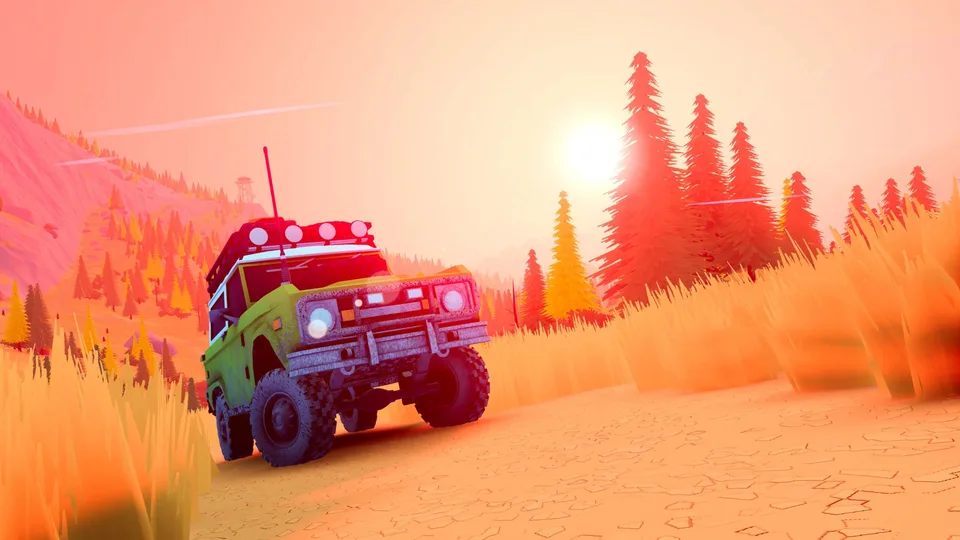
Getting Started with over the hill on Steam
When diving into over the hill, players step into the golden age of offroading through an experience crafted by Funselektor Labs Inc., known for art of rally. Available via the Steam Store Page, this title shifts away from traditional competitive racing. Instead, it offers a relaxing, minimalist environment where players pilot iconic 4x4 vehicles from the 1960s through the 1980s across diverse, real-world-inspired biomes.
Understanding what the game entails before launching your vehicle helps set the right expectations. Rather than rushing toward a finish line, the gameplay encourages taking your time, enjoying nature, and planning routes through valleys, mountains, lakesides, and forests. Whether you prefer cruising alone or heading out with up to three friends in online co-op, mastering the terrain requires patience and the right equipment.
Exploring Solo and Online Co-Op Gameplay Mechanics
Navigation and preparation form the backbone of your journey. Different paths and obstacles demand specific tools, meaning improvising your route or carefully calculating your next move is essential for survival in the wilderness.
Essential Trail Gear
Use wooden planks to bridge dangerous gaps across uneven terrain.
Vehicle Recovery Tools
Deploy winches to pull your 4x4 out of difficult spots and recover stuck vehicles.
Discovery Compendium
Use the in-game camera to photograph native wildlife and build out your personal wildlife compendium.
Beyond straightforward driving, the world features dynamic weather and day-and-night cycles that alter environmental conditions. You will stumble upon remote cabins, scenic viewpoints, natural landmarks, fallen meteorites, and even mysterious portals leading to brand-new areas. Upgrades and merchant stops allow you to customize your vehicle with unique colors, accessories, and cosmetics that match your driving style.
PC System Requirements and Hardware Compatibility
Before purchasing or downloading the game from Steam, verifying that your PC meets the necessary hardware specifications ensures smooth performance across different resolutions and graphical settings.
- Check Operating System: Ensure your PC runs a 64-bit version of Windows 10.
- Verify Processor Power: At minimum, an Intel Core i5-7400 or AMD Ryzen 5 2600 processor is required.
- Confirm Memory and Storage: Have at least 8 GB of RAM and 4 GB of available storage space ready.
- Check Graphics Hardware: Equip an Nvidia GTX 1070 or AMD Radeon RX 5600 graphics card for optimal gameplay at Full HD resolution.
- DirectX & Network: Verify that DirectX Version 11 is installed alongside a broadband internet connection for online co-op sessions.
According to developer recommendations and testing details noted on the official Steam platform, using a controller—such as an Xbox or PlayStation controller—provides an ideal driving experience. Full controller support is built directly into the game, alongside accessibility options like camera comfort adjustments and customizable volume controls.