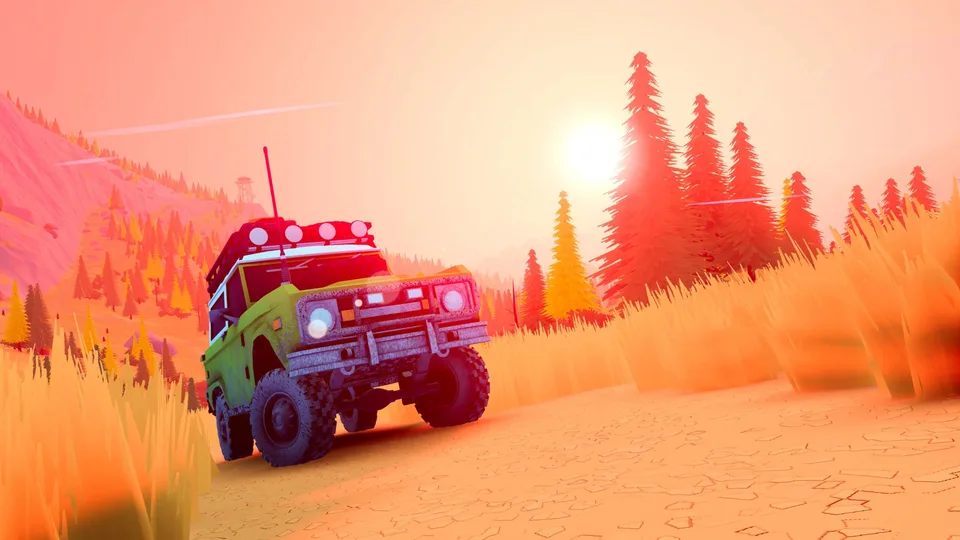
Over the Hill Wheel Support and Input Options Explained
Discover the current wheel and force feedback support status for Over the Hill, plus controller details and community insights from Funselektor Labs.
Published: over the hill Wiki Editorial Team
Table of Contents
## Understanding Wheel Support and Force Feedback in Over the Hill
When diving into an off-road exploration game like over the hill, many driving simulation enthusiasts naturally wonder about hardware compatibility. Specifically, players heavily invested in sim racing rigs often ask whether steering wheels and Force Feedback (FFB) will work out of the box. According to developer statements shared by community members, dedicated steering wheel support is not currently planned for release day.
While the development team at Funselektor Labs Inc. has noted a general interest in expanding compatibility to various input devices down the line, players should primarily prepare to use standard gamepads or keyboards at launch. For fans of deep simulation rigs who expect tactile feedback from every rock, rut, and mud pit, this news requires adjusted expectations. The title leans closer to a relaxed, cooperative cruising and exploration experience rather than a hardcore physics simulator requiring an expensive wheel setup.
Release Day Hardware: Expect to play using standard gamepads or controllers.
Wheel Compatibility: Native steering wheel and FFB support are absent for the initial launch window.
Future Updates: Developers remain open to exploring broader input device compatibility post-launch if feasible.
## Why Sim Racing Hardware Faces Hurdles in Exploration Games
The lack of native steering wheel support in modern arcade-leaning off-road titles often sparks extensive debates within community forums. According to player discussions, technical hurdles within game engines like Unity3D play a significant role. Unity does not always feature baked-in, robust force feedback architecture tailored for complex steering peripherals.
Consequently, developers must often rely on custom plugins or generic DirectInput implementations. These workarounds can introduce compatibility snags for high-end steering wheels, separate H-pattern shifters, analog handbrakes, and multi-device setups. For a title focused on cooperative map exploration, managing these intricate peripheral integrations might take considerable development bandwidth away from core gameplay loops like cooperative winching, weather management, and vehicle customization.
Tip
Controller Recommendation: A standard dual-thumbstick controller offers the best balance for managing camera angles, winching points, and throttle control during group expeditions.
Manual Centering Workaround: Some players attempt generic device mapping through third-party configurations, adjusting auto-center spring strength manually to simulate basic resistance, though this does not replicate true game-driven FFB.
## Alternative Control Schemes and Gameplay Focus
Because Over the Hill emphasizes cooperative off-road travel rather than competitive racing, the control scheme reflects a more accessible design philosophy. Players navigate through varying terrains using portable winches, roof racks, and specialized tools while helping stuck teammates traverse difficult slopes. The interface relies heavily on quick-select radial menus for deploying items like repair kits, camp tools, and winches.
Community feedback highlights that playing with a standard controller feels intuitive when managing precise winch attachments to specific vehicle points or adjusting camera angles during tricky ascents. While sim enthusiasts miss the immersion of a physical force-feedback rim, the overall pacing of the game aligns well with a sit-back-and-chill controller experience.
Controller Play
Ideal for cooperative exploration, quick menu navigation, and managing winch positioning across varied terrain.
Steering Wheels
Currently unsupported for release day, leaving sim racing hardware enthusiasts waiting on potential future patches.
## Community Perspectives on Input Choices
Player reactions gathered from Steam community discussions reveal a divided yet pragmatic outlook. Dedicated sim racers express understandable disappointment, drawing comparisons to genre heavyweights like MudRunner and SnowRunner which heavily integrated wheel support. However, other community members point out that Over the Hill targets a different demographic—one that values cooperative road trips and atmospheric exploration over hardcore wheel calibration.
As development continues toward the official launch on Steam, players continue to voice their requests for broader hardware compatibility. Keeping an eye on official developer announcements remains the best way to track whether wheel support or cockpit camera options evolve after the initial release.
Will steering wheel support ever be added to Over the Hill?
The developers have stated that wheel support is not planned for release day, though they hope to explore working with a wider variety of input devices in the future.
Can I use a controller instead?
Yes, the game is fully optimized for standard controllers and gamepads, allowing for smooth camera control, winching, and vehicle handling.
Where can I check for official updates?
You can follow the game's official Steam Store Page for the latest developer announcements regarding hardware and features.