Over the Hill Steam Guide: Release Status, Save Locations, and Technical Details
Explore essential details for Over the Hill on Steam. Learn about the developer, save file locations, controller support, and launch options for this title.
Published: over the hill Wiki Editorial Team
Table of Contents
Getting Started with Over the Hill
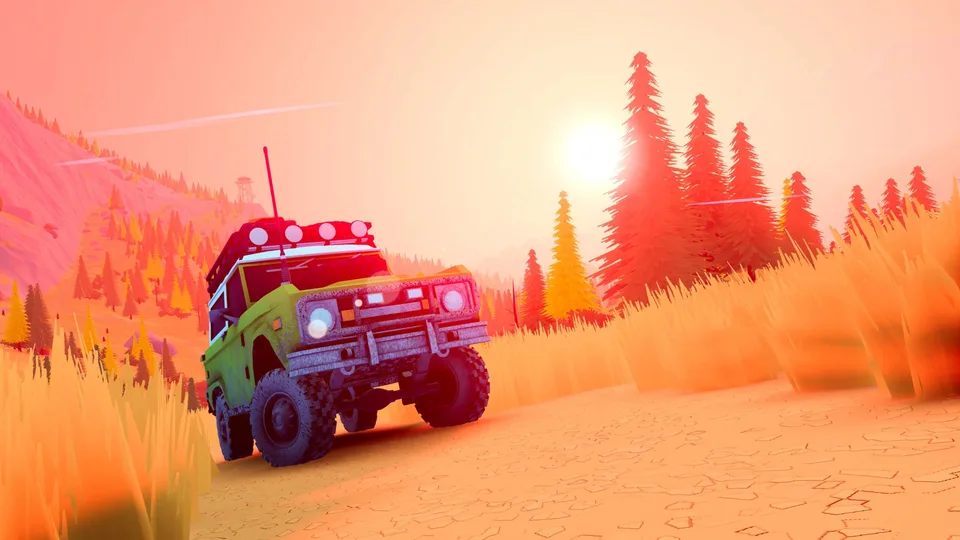
Over the Hill (Steam AppID 2929250) is an upcoming title developed by Funselektor Labs Inc. As a multi-genre experience, the game blends elements of Adventure, Racing, Simulation, and Sports. Whether you are preparing to dive into the game on launch day or looking to understand its technical requirements, this guide provides the necessary information based on the official Steam database configurations.
Understanding the technical footprint of a game before its launch—or immediately upon release—is crucial for managing storage, troubleshooting launch issues, and ensuring your progress is backed up correctly. Below, we break down the key technical aspects of the title.
Developer and Genre Profile
Funselektor Labs Inc. serves as both the developer and publisher for Over the Hill. The game is positioned as a broad-appeal title, drawing from several distinct genres. According to the Steam store data, the game is categorized under Adventure, Casual, Indie, Racing, Simulation, and Sports.
This combination of genres suggests a gameplay loop that likely emphasizes exploration and mechanical skill, typical of simulation-heavy or racing-focused indie titles. With full controller support integrated, the development team has clearly prioritized a smooth experience for players using gamepads, which is often the preferred input method for titles in the racing and simulation categories.
Technical Specifications and Language Support
The game is built on the Unity engine and incorporates several modern SDKs, including the Discord SDK, EpicOnlineServices, and NVIDIA DLSS, suggesting that the developers have focused on stability and modern graphical performance.
For players across the globe, the game offers a wide range of language support. The interface, subtitles, and achievements are localized into 16 languages, ensuring accessibility for a diverse player base.
Supported Languages
The game includes full language support for the following, ensuring a localized experience for:
English, French, Italian, German, Spanish (Spain & Latin America), Japanese, Korean, Portuguese (Brazil & Portugal), Russian, Simplified Chinese, Traditional Chinese, Ukrainian, Turkish, and Dutch.
Save File Locations
Managing your save files is essential for any PC gamer, whether you are looking to manually back up your progress or move your data between different devices. Based on the configuration files, Over the Hill utilizes the "My Games" folder structure common to many Windows titles.
If you need to locate your save data, check the following directories based on your operating system:
Windows:%USERPROFILE%/My Documents/My Games/over the hill/Saves
MacOS:~/My Games/over the hill/Saves
Linux:~/My Games/over the hill/Saves
Note: Sub-folders for specific data types such as /FogOfWar and /Animals are also located within this directory structure. Ensure you are backing up the entire over the hill folder to capture all progress.
Understanding Launch Options and Beta Branches
Steam allows developers to provide different launch options and beta branches for testing or legacy support. For Over the Hill, the configuration includes several specific options that players might encounter.
It is important to note that these options are generally intended for troubleshooting or specific hardware configurations.
Tip
When to use specific launch options:
Legacy Builds: The "legacy-pun2" beta branch is designated for the legacy build of the game. Use this only if you are experiencing critical issues with the current version or have been instructed to do so by the developer.
Performance/Development: Options involving -msTessOnce are often used for development testing or specific rendering troubleshooting. Unless you are a power user or troubleshooting a specific graphical bug, it is recommended to stick to the default launch settings.
The Supporter Edition
Alongside the base game, Funselektor Labs Inc. has prepared a "Supporter Edition" (AppID 5208450). This typically serves as an optional purchase for players who wish to provide additional support to the developers. While the specific contents of this edition may vary, it is listed as a separate DLC depot, meaning it will likely be managed as an add-on within your Steam library once the game is released.
Frequently Asked Questions
Below are some common queries regarding the game's current status and technical configuration.
Why is the game excluded from Steam Family Sharing?
The game is currently marked as excluded from Steam Family Sharing because it has not yet been released. This is a common status for pre-release titles on Steam.
What is the total disk space required?
Based on the current depots, the total size on disk for the base game is approximately 4.03 GiB for Windows. Including the Supporter Edition DLC, the total disk usage will be slightly higher.
Can I play this game on macOS or Linux?
The SteamDB configuration lists depots for both Windows and Linux, with an additional configuration for macOS. However, always check the official Steam store page upon release to confirm the specific operating system compatibility for your system.