Understanding Over the Hill PC Requirements
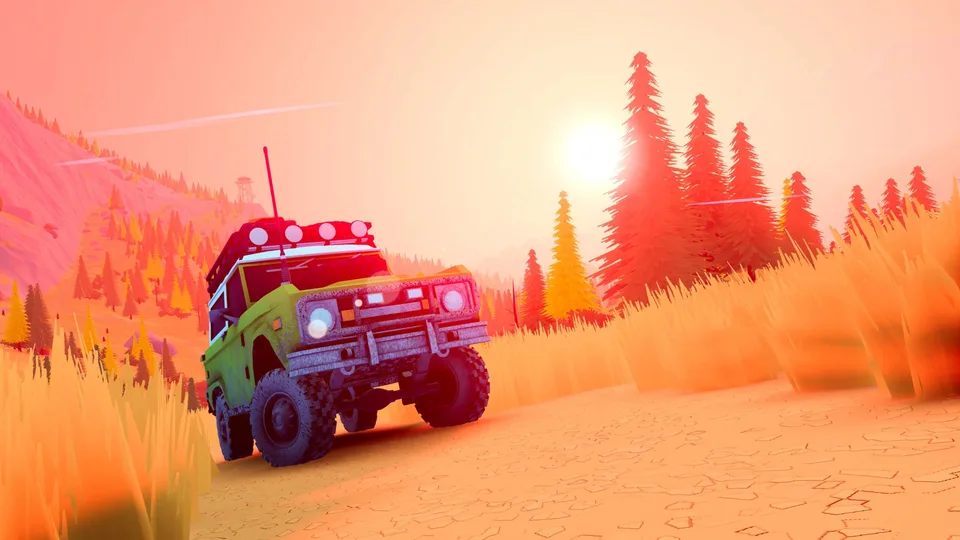
Evaluating your hardware before diving into an open-world driving experience helps ensure a smooth journey across rugged landscapes. Developed by Funselektor Labs Inc., over the hill invites players to explore valleys, mountains, and scenic trails either solo or alongside up to three friends in online co-op. Because the game features dynamic weather, day-and-night cycles, and detailed natural environments, meeting the baseline hardware specifications is essential for maintaining consistent performance.
The developers have optimized the title for modern 64-bit operating systems, targeting Full HD resolutions as their primary testing baseline. Whether you are cruising through dense forests or managing complex winch maneuvers to rescue a stuck vehicle, understanding what your rig needs to run the software efficiently prevents unexpected frame drops and stuttering.
Detailed PC Hardware Specifications
To run Funselektor's off-road adventure smoothly on your desktop or compatible handheld device, your system must meet specific performance thresholds. According to official platform data, the game requires a 64-bit processor and operating system combined with dedicated graphics hardware capable of handling DirectX 11 workloads.
Minimum System Requirements
- OS: Windows 10 (64-bit)
- Processor: Intel Core i5-7400 / AMD Ryzen 5 2600
- Memory: 8 GB RAM
- Graphics: Nvidia GTX 1070 / AMD Radeon RX 5600
- DirectX: Version 11
- Storage: 4 GB available space
- Network: Broadband Internet connection
- Additional Notes: Specifications tested on FullHD resolution. Requires a 64-bit processor and operating system.
When planning your installation, ensure you have at least 4 GB of free storage space available on your drive. While traditional hard drives can store the game files, utilizing a solid-state drive (SSD) is strongly recommended for modern open-world titles to minimize loading times when transitioning across large maps and dynamic biomes.
Preparing Your Setup for Multiplayer and Exploration
Off-roading with friends introduces unique technical considerations beyond standard single-player experiences. Because the game supports online co-op for up to four players, maintaining a stable broadband internet connection is listed as part of the core requirements. Network stability ensures that vehicle synchronization, winch physics, and shared open-world interactions remain responsive while you traverse challenging terrain together.
Furthermore, community feedback and developer insights indicate full controller support, with the team explicitly recommending gameplay with a controller for optimal steering precision. If you plan to play on alternative hardware configurations—such as portable gaming PCs or handheld devices—adjusting in-game graphics settings like resolution scaling or frame rate limits can help achieve stable performance without sacrificing the game's distinct minimalist visual atmosphere.